Proximity notifications
Prepare a proximity message based on what the channel supports and the customer’s permissions.
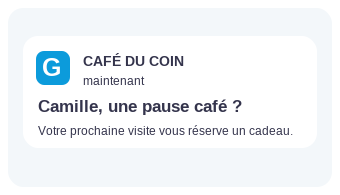
Module features
Messages in the right place
Customize your notification text for each location. Customers will automatically receive a message as soon as they are near one of your locations.
Push notifications
Prepare useful messages for your customers, depending on the terms of your plan.
Instant access to the digital card
The geo-notification appears on the lock screen, and tapping it opens the digital loyalty card.
Preparing proximity notifications
1. Set your locations’ addresses
Prepare your locations’ addresses based on what the chosen channel supports.
2. Write the message text
Write the notification text for each location, or use a single message for all.
3. Send a geo-notification
Prepare a proximity message based on what the channel supports and the customer’s permissions.
A plan tailored to your project
Support, features and connections are specified in your quote.
Explore our plans